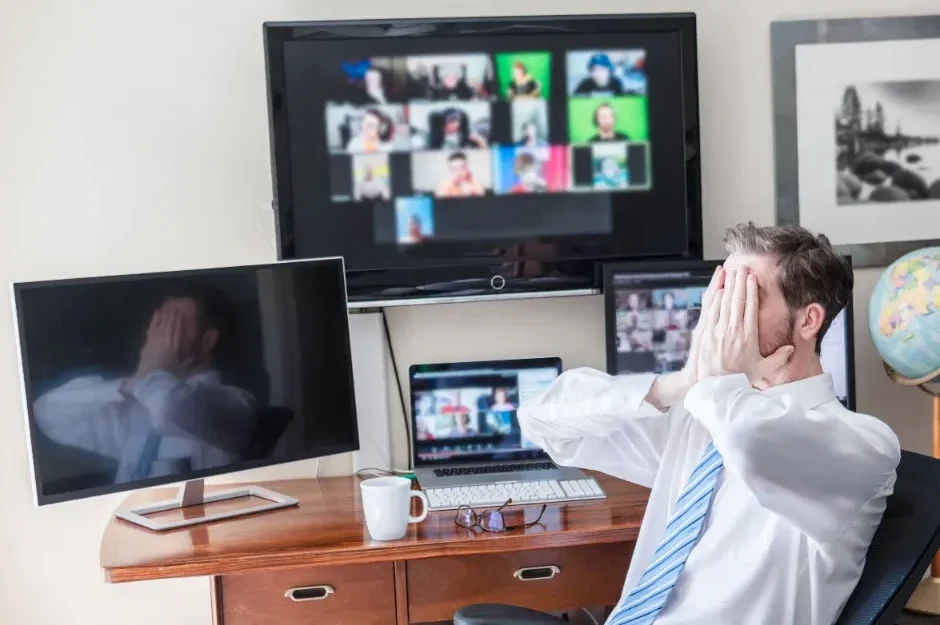
Video conferencing is an important part of modern business communication. However, staring at a screen for hours takes a toll on our physical and mental well-being. Reducing zoom fatigue is essential for professionals who want to maintain productivity, make clear decisions, and avoid burnout.
In this blog, we explain why video calls are so exhausting and share actionable strategies to reduce online meeting fatigue. We will also help identify the triggers of Zoom fatigue and how to manage them effectively.
What is Zoom Fatigue?
Zoom fatigue refers to the physical, mental, and emotional exhaustion that follows a day filled with video conferencing. While the term uses a specific brand name, it applies to all video communication platforms used in the workplace. This type of fatigue differs from typical workday tiredness because of the cognitive demands placed on the mind when communicating through a monitor.
Causes Of Virtual Meeting Fatigue
Understanding the root causes is the first step toward reducing virtual meeting fatigue. Here are some of the reasons why individuals experience it:
- Excessive close-up eye contact: In physical meetings, participants naturally look around the room, take notes, and break eye contact. On video, you are constantly making direct eye contact with multiple people at once, which the brain can interpret as stressful and draining.
- Cognitive overload from non-verbal cues: In person, our minds process non-verbal communication naturally and effortlessly. On video, interpreting facial expressions, body language, and tone of voice requires much more effort. This constant processing leads to mental exhaustion.
- The “mirror effect”: Most video platforms show a real-time feed of your own face. Constantly viewing yourself speaking and reacting forces the brain into a state of continuous self-evaluation, which is highly draining throughout the workday.
- Restricted movement: Virtual meetings put you in a single physical location. The lack of natural movement, such as walking to a boardroom, standing up to write on a whiteboard, or pacing while talking, restricts blood flow and contributes to fatigue and muscle tension.
- Technical difficulties: Poor internet connection, audio or video malfunctions, and screen-sharing issues can disrupt the flow of a virtual meeting. These interruptions not only waste time but also add to participants’ frustration and fatigue.
Actionable Strategies for Reducing Zoom Fatigue
You can implement several practical changes to your daily workflow to minimise the impact of video calls.
Default to Shorter Meetings: Instead of scheduling meetings for a full 30 or 60 minutes, shorten them to 25 or 50 minutes. This approach provides a five to ten-minute buffer between appointments to stretch, rest your eyes, and give your mind a break.
Hide Self-View: Once you have positioned your camera correctly at the start of a call, you do not need to see yourself again. You can hide your self-view on Zoom by right-clicking your video and selecting “Hide Self-View.” This feature allows you to focus on the other participants rather than constantly checking your own appearance.
Limit Multitasking: It may be tempting to multitask during a video call, but it can lead to distraction and frustration for both you and the other participants. Try to limit multitasking during a call and give your full attention to the conversation at hand.
Normalise Audio-Only Meetings: Not every meeting requires a visual output. Encourage your team to turn off their cameras during internal catch-ups or brainstorming sessions. Transitioning a video call into a standard audio call allows participants to pace the room or look away from the screen.
Comparing Workspaces: Home Setups vs. Professional Workspaces
Where you conduct your meetings significantly impacts your energy levels. This comparison highlights why changing your physical environment can positively impact your productivity, focus, and overall well-being.
The Home Office Setup
- Physical environment: Compared to larger workspaces, small or cramped spaces can lead to poor seating posture and limited physical movement throughout the day.
- Distractions: Household interruptions are common, breaking focus and making it harder to get back on track with the meeting.
- Technology: Using residential internet and personal hardware increases the risk of connectivity stress and audio/video lag.
- Collaboration: Fully digital meetings limit spontaneous brainstorming and interrupt the flow of natural conversation.
The Professional Workspace
- Physical environment: Ergonomic furniture, dedicated breakout zones, and spacious layouts encourage natural movement and support healthy posture throughout the day.
- Distractions: A dedicated workspace minimises unexpected interruptions and keeps your attention on your work.
- Technology: Business-grade internet and conferencing equipment ensure seamless communication without technical issues.
- Collaboration: Holding a meeting in a designated meeting room helps to keep focus and encourages active participation from everyone involved.
Embracing the Hybrid Model
One of the most effective ways for reducing online meeting fatigue is by changing how you structure the meetings. By utilising professional meeting rooms, a small group of local team members can join in person while the rest can join remotely. You can then broadcast the meeting to remote participants from a single, high-quality camera and audio system.
Conducting a hybrid meeting from a fully equipped boardroom offers several advantages:
- It allows on-site team members to interact naturally face-to-face, reducing their screen time.
- It gives remote workers a real-time, professional meeting view, avoiding the distractions and delays of lagging webcams.
- It adds a refreshing change to the workweek by encouraging teams to collaborate in a physical space.
Booking a meeting room for client presentations or quarterly reviews ensures a seamless and impressive experience. At The Junction, we offer a variety of meeting rooms to suit different needs. Our state-of-the-art technology and modern amenities provide a professional atmosphere for any type of meeting.
Key Takeaway
Reducing Zoom fatigue is not about abandoning digital tools – it is about using them strategically alongside physical workspace solutions. By understanding the psychological and physical strain of constant screen time, you can restructure your workflow to create a healthier balance.
Book a personalised tour at The Junction and see how our meeting rooms can support your team’s productivity and well-being. Our flexible booking options allow for both in-person and virtual meetings, making it easier to find the right balance for your team’s needs. Contact us today.
Frequently Asked Questions
How can I tell if I have virtual meeting fatigue?
Virtual meeting fatigue can appear as physical and mental exhaustion after video calls. You might also notice difficulty concentrating, irritability, or a lack of motivation for meetings. Physically, it can lead to eye strain, headaches, and shoulder tension.
What can I do to prevent online meeting fatigue?
There are several steps you can take to prevent or reduce online meeting fatigue. Some suggestions include taking breaks between meetings and reducing the number of back-to-back video calls. You can also turn off your camera when possible and use alternative communication methods, such as phone calls or email, for less important discussions.
What is the difference between a hybrid meeting and a virtual meeting?
A virtual meeting involves all participants joining remotely from different locations. A hybrid meeting, on the other hand, combines in-person and remote participants, with some attending at a physical location while others join online.
Why is a meeting room a better option for conducting a meeting?
A dedicated meeting room offers a professional, distraction-free environment that home offices can’t deliver. For hybrid meetings, a meeting room offers the necessary technology and space to ensure both in-person and remote attendees can collaborate effectively.
How much does it cost to book a meeting room?
The cost of booking a meeting room varies depending on factors such as location, size, amenities, and meeting duration. Some meeting rooms may charge by the hour, while others may offer half-day or full-day rates. At The Junction, booking starts at $40 + GST per hour.